
The best CRM for a small business in the UK in 2026 is Pipedrive. It’s built specifically for small sales teams, priced from £14/user/month billed annually, and you can have a working pipeline live in under a day without an IT project. This guide compares seven CRMs for a UK small business, covering verified 2026 pricing, free tiers, and what a typical 5-person team actually pays each month.
We focused on tools that suit a three-to-ten person team: fast setup, no forced IT involvement, transparent per-seat pricing, and a genuine free tier or trial to test before you commit. We verified every price directly against each provider’s live UK site in July 2026. For the full market view across every budget and team size, see our complete CRM software comparison.
FREE QUOTE COMPARISON
Compare CRM Software Quotes from Trusted Suppliers
100% free • No obligation • Takes under 2 minutes
- Best all-round for small teams: Pipedrive - from £14/user/month billed annually, with a working pipeline live in under a day.
- Easiest to set up: monday CRM - from £10/seat/month billed annually, though plans start at a 3-seat minimum.
- Best budget pick: Zoho CRM - from £12/user/month, with a genuine free tier for up to 3 users.
- Best for small outbound sales teams: Close CRM - from $35/user/month billed annually, with calling, email and SMS built in.
- A 5-person team pays £35 to £100 a month, and 10 users £70 to £200 - on entry paid tiers, so work out your real seat count before comparing headline prices.
Best CRM for Small Business Compared
Prices below are verified from each provider’s live site in July 2026 and shown at the entry paid tier, per seat, billed annually unless stated. Free tiers and setup speed matter most for a small business, more than the enterprise depth some of these tools also carry.
| Provider | Best For | Price (from) | Free Tier | Key Feature |
|---|---|---|---|---|
| Pipedrive PICK | Small sales teams wanting a simple pipeline | £14/seat/mo | No (14-day trial) | AI-powered report creation |
| monday CRM | Fastest, easiest setup | £10/seat/mo | No (14-day trial) | Board-based, no-code automations |
| Zoho CRM | Cost-sensitive teams and solo founders | £12/user/mo | Yes (3 users) | Workflow automation + AI agents |
| HubSpot | Teams wanting a free CRM inside a wider platform | £7/seat/mo | Yes (2 users) | Connected marketing/service tools |
| Freshsales | Cheapest paid entry tier | £7/user/mo | Yes (3 users) | Freddy AI contact scoring |
| Close CRM | Small outbound sales teams | $35/user/mo | No (14-day trial) | Built-in calling, email, SMS |
| Salesforce Starter | Teams planning to scale later | £20/user/mo | No (30-day trial) | Enterprise-grade scalability |
Pipedrive EDITOR’S PICK

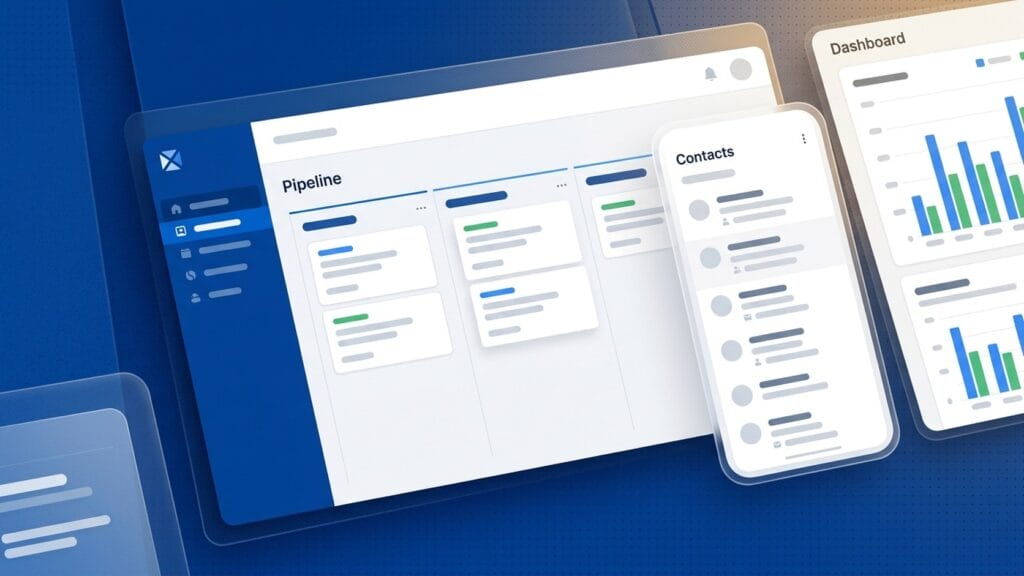
Pipedrive was built around the sales pipeline first, which is exactly what a small team needs from a first CRM: a visual, drag-and-drop view of every deal, without the configuration overhead of a platform designed for a 500-person sales org.
The Lite plan starts at £14/seat/month billed annually (£168/seat/year, ex-VAT), and covers lead, calendar and pipeline management, AI-powered report creation and a real-time sales feed with 500+ integrations. There’s no permanent free tier, but every plan includes a 14-day free trial with full access and no card required, so a small team can test the whole workflow before paying anything. Growth (£39/seat/month) adds full email sync and automated sequences once you outgrow Lite. Read our full Pipedrive review for the complete breakdown of every tier.
For a small business, Lite is normally enough. It skips the sales-engagement and lead-scoring tools that only start to matter once you have a dedicated SDR function, and keeps the interface simple enough that a non-technical founder can run it without training. If you’re weighing this against a heavier all-in-one platform, our Salesforce vs Pipedrive comparison covers where the complexity trade-off starts to bite.
monday CRM

monday CRM is the board-based, no-code option, and for a small team that finds traditional CRM screens intimidating, its familiar spreadsheet-like layout gets a working sales tracker live within a couple of hours, not days.
Basic starts at £10/seat/month billed annually (£13/seat/month billed monthly), though the platform requires a 3-seat minimum, so a solo founder can’t buy a single seat. Standard steps up to £14/seat/month and adds 250 automations a month plus multiple workspaces. Every paid tier includes AI features on a credits basis, an AI Notetaker and a Sidekick assistant, layered on top of seat pricing. There’s no permanent free CRM tier, only a 14-day trial. Read our full monday CRM review for the complete tier breakdown.
What makes monday CRM stand out for a small business is how fast it is to configure. Boards, columns and automations are built by dragging and dropping rather than writing rules in a settings menu, so a non-technical team lead can build the exact pipeline they want without a consultant. It’s also worth knowing that monday CRM is a separate product from monday.com Work Management, which has its own, different pricing and a genuine free plan for project boards rather than sales.
Zoho CRM
Zoho CRM is the pick for a genuinely cost-sensitive small business, because it is forever free for up to 3 users with real functionality, not a stripped-down trial shell, and its cheapest paid tier still undercuts most rivals on this list.
The free plan covers up to 3 users with contact management, workflow automation, 10 custom email templates, task and meeting tracking, 5,000 API calls a day and mobile apps, with no credit card required.
Once you outgrow that, Standard is £12/user/month, Professional £18/user/month and Enterprise £35/user/month, all displayed in GBP with local VAT added on top. Zoho CRM is editorial-only in this guide (no affiliate arrangement), but it earns its place on merit for a small team that wants to prove the workflow before paying anything. For the full picture on no-cost options, see our free CRM software guide.
The trade-off is support. Zoho’s own review profile flags slow, unresponsive customer support as a recurring complaint, alongside renewal price increases that catch some buyers out. For a small team happy to self-serve using Zoho’s documentation, that’s a fair exchange for the price. If support responsiveness matters more to you than headline cost, weigh it against Pipedrive or monday CRM instead.
HubSpot
HubSpot’s free CRM is the most generous starting point for a very small team of two, bundling basic sales, marketing, service and content tools alongside contact management, provided you can live with HubSpot branding on your emails and chat widget.
Free covers up to 2 users, 1,000 contacts, one deal pipeline, branded live chat and email, with no time limit and no card required. Starter removes the branding at £7/seat/month billed annually (£18/seat/month billed monthly), which HubSpot currently shows as a limited-time offer. Professional jumps to £81/seat/month billed annually, but that headline figure hides a mandatory one-time Professional Onboarding fee of £1,310, not included in the per-seat price. That onboarding cost is easy to miss when comparing plans side by side, so budget for it before assuming Professional is affordable at £81/seat.
HubSpot is editorial-only in this guide. It’s the right call for a small business that plans to grow into HubSpot’s wider Marketing, Service and Content Hubs on one connected platform, since the free CRM slots directly into that ecosystem. If you only need a lean sales tool and have no plans to run marketing campaigns from the same system, Pipedrive or monday CRM are simpler and cheaper to scale.
Freshsales

Freshsales pairs a genuine 3-user free tier with the lowest paid entry price in this guide, which makes it worth a look for a small team that wants AI-assisted lead scoring without paying enterprise-CRM money to get it.
The free plan supports up to 3 users with Kanban views for contacts, accounts and deals, email templates, a built-in phone and live chat, no card required. Growth is £7/user/month billed annually, adding Freddy AI contact scoring, custom sales activities and sales sequences. Pro (£29/user/month) and Enterprise (£49/user/month) layer on forecasting, custom modules and sandbox environments for teams that outgrow the basics.
Freshsales is editorial-only here. One caveat worth flagging: its public Trustpilot rating is poor, but that score sits on a merged Freshworks business profile that spans Freshdesk and other products, not a Freshsales-specific one, and Freshsales scores considerably higher on G2 and Capterra. Treat any single review-site score for this provider with that context in mind rather than at face value.
Close CRM

Close is built for a small inside-sales team that lives on the phone and in the inbox, bundling calling, email and SMS into one platform so reps never have to switch to a separate dialer, though it prices in US dollars with no published GBP rate.
Close prices in USD. Solo is $9/user/month billed annually ($19 billed monthly), but is capped at a single seat, so it doesn’t work for a team. Essentials, the entry tier for more than one person, is $35/user/month billed annually ($49 billed monthly) with unlimited seats, unlimited contacts and 1,000 AI credits a month for its built-in “Chloe” sales agent. Growth ($99/user/month annually) adds automated workflows and a power dialer. Every tier includes a 14-day free trial with no card required and a 30-day money-back guarantee.
For a small business specifically, Close only makes sense if outbound calling and email are the job, not just one feature among many. If your small team is a founder-led, low-volume sales process, that dollar pricing and call-first design is more than most will need; if you’re running high-velocity outbound with several reps working the phones daily, Close is one of the strongest fits on this list. See our best sales CRM guide for more outbound-focused options.
Salesforce Starter Suite
Salesforce is the CRM most small business owners have heard of, and Starter Suite is its genuine small-team entry point, but it’s worth being honest that most teams under ten people will find it more platform than they currently need.
Starter Suite is £20/user/month, and uniquely for Salesforce, that rate is the same whether you pay monthly or annually, with no discount penalty for flexibility. It covers lead, account, contact and opportunity management plus built-in sales flows, lead routing and AI-assisted email and event sync. A 30-day free trial is available with no card required. Beyond Starter, Pro Suite jumps to £80/user/month and Core to £156/user/month, both billed annually, a meaningful step up once you need forecasting, pipeline AI or API access.
The honest case for Salesforce as a small business is future-proofing, not day-one value. If you’re confident you’ll need enterprise-grade customisation and deep API access within a year or two, starting on Starter Suite means you never have to migrate platforms. If you just need to track deals and follow up on time, Pipedrive or monday CRM will do the job for less money and less setup effort. For deeper detail on where the two diverge, our Salesforce vs Pipedrive comparison breaks down the trade-off feature by feature.
What Is the Simplest CRM for a Small Business?
“Simple” means different things depending on who’s asking. For a founder who wants to be selling within an hour of signing up, it means no-code setup. For a team that’s never used a CRM before, it means an interface that doesn’t need a training session.
The simplest CRM for a small business, on both counts, is monday CRM. Its board-based layout looks like a spreadsheet, so anyone who has used Excel or Google Sheets can start dragging deals between columns without a tutorial, and automations are built visually rather than through code or a settings menu buried three screens deep. It starts from £10/seat/month billed annually, though plans require a 3-seat minimum. Pipedrive is a close second: its pipeline view is nearly as intuitive, it has no seat minimum, and its Lite plan at £14/seat/month strips out the extra modules that make bigger CRMs feel complicated. If simplicity matters more to you than price, choose between these two rather than a platform like Salesforce or Creatio, both of which trade simplicity for depth a small team rarely uses in year one.
Avoid the trap of assuming “free” means “simple”. Zoho CRM and HubSpot both have genuine free tiers, but their full interfaces expose dozens of modules built for larger teams, which can feel overwhelming on day one even though the free plan itself is limited.
If you want the least to learn, start with monday CRM or Pipedrive; add the wider free-tier platforms later once your team has outgrown the basics. Our plain-English guide to what a CRM actually does is a good starting point if you’re not yet sure your business needs one at all.
How We Picked These CRMs for Small Business
We compared seven CRMs against the priorities that matter most to a small UK business: fast, low-friction setup, transparent per-seat pricing, genuine free tiers or trials, and features a three-to-ten person team will actually use, verifying every price directly against each provider’s live site in July 2026.
We weighted setup speed and pricing transparency over enterprise depth, since most small businesses lose more time to a confusing rollout than they ever save from an extra automation feature. Where a provider prices in a currency other than GBP, we say so plainly and never convert it to pounds ourselves.
Where onboarding fees or seat minimums apply, we surface them next to the headline price rather than letting them hide in the small print. Full pricing detail by seat count and billing cycle lives in our CRM software costs guide.
How to Choose a CRM for Your Small Business
The right choice comes down to three questions: how many people need seats today, whether you want the simplest possible setup or the most headroom to grow, and whether outbound calling is central to how your team sells. Match the tool to those answers before you look at the price tag.
Choose Pipedrive if you want the best all-round balance of price, simplicity and room to grow, with no seat minimum and a published £14/seat/month entry price. Choose monday CRM if ease of setup is your top priority and you have at least 3 people to seat from day one. Choose Zoho CRM if budget is tight and you want to prove the workflow on a genuinely free 3-user plan before paying anything.
Choose HubSpot if you plan to grow into a wider marketing and service platform and want your free CRM to slot into that ecosystem later. Choose Freshsales if you want the cheapest paid, full-featured CRM and AI-assisted lead scoring without enterprise pricing. Choose Close if your team’s day is built around phone and email outreach rather than inbound pipeline management. Choose Salesforce Starter Suite only if you’re confident you’ll need deep customisation and API access within the next year or two; otherwise it’s more platform than most small teams need on day one.
Which CRM Suits a Team of 1-2, 3-5 or 6-10 People?
The right small business CRM depends mostly on headcount. Teams of one or two should start on a free tier, teams of three to five should weigh a free plan against an entry paid tier, and teams of six to ten should price every seat before shortlisting, because per-seat costs compound quickly.
1-2 people. Solo founders and early startups have the most free options. HubSpot’s free CRM covers up to 2 users, Capsule’s free plan covers 2 users and 250 contacts, and both Zoho CRM and Freshsales offer free plans for up to 3 users. Close CRM’s Solo plan suits a lone outbound seller at $9 a month billed annually, but it is capped at one user, so it stops working on the day you hire. Skip monday CRM at this size, because its plans start at 3 seats.
3-5 people. Three is the first break point. Zoho CRM and Freshsales stay free for 3 users, so a trio can run a sales pipeline for £0 until the fourth person joins, while monday CRM becomes viable at 3 seats. From the fourth seat those two free plans have run out, and the choice becomes which paid entry tier fits your sales process. Pipedrive suits a team that lives in its pipeline, and Zoho CRM suits a tighter budget.
6-10 people. The per-seat gap compounds, and tier cliffs matter more than the entry price. HubSpot’s Professional tier is £81 per seat plus a one-off £1,310 onboarding fee, and Close CRM’s Essentials tier excludes workflows, which only arrive on Growth at $99 per user billed annually. Our best sales CRM comparison goes further once your team outgrows these entry tiers.
How Much Does a Small Business CRM Cost for 3, 5 and 10 Users?
On the entry paid tiers, a small business CRM costs from £21 a month for 3 users to £70 for 10 users at the cheapest end, and £60 to £200 at the Salesforce Starter Suite end. Each figure below multiplies a published per-seat price by the team size, before VAT, add-ons and onboarding fees.
| Provider and tier | 3 users | 5 users | 10 users |
|---|---|---|---|
| Freshsales Growth | £21 | £35 | £70 |
| HubSpot Starter (limited-time £7 price) | £21 | £35 | £70 |
| monday CRM Basic | £30 | £50 | £100 |
| Zoho CRM Standard | £36 | £60 | £120 |
| Pipedrive Lite | £42 | £70 | £140 |
| Salesforce Starter Suite | £60 | £100 | £200 |
| Close CRM Essentials | $105 | $175 | $350 |
Two free tiers change the 3-user column: Zoho CRM and Freshsales are both free for up to 3 users, so a three-person team can pay £0 until it hires. HubSpot’s free plan stops at 2 users, and Close CRM prices in dollars, so its row is shown in dollars. The 5-user detail follows.
On monday CRM Basic, five seats at £10/seat/month billed annually costs £50 a month, comfortably clearing the 3-seat minimum. On Freshsales Growth and HubSpot Starter (at its limited-time offer price), five seats at £7/seat/month both come to £35 a month, with every seat priced on the entry paid tier. On Zoho CRM Standard, five seats at £12/user/month is £60 a month; note the free plan caps at 3 users, so a 5-person team must move the whole team onto the paid tier rather than mixing free and paid seats.
On Pipedrive Lite, five seats at £14/seat/month billed annually is £70 a month (£840 a year). On Salesforce Starter Suite, five seats at £20/user/month is £100 a month, whether billed monthly or annually. On Close Essentials, five seats at $35/user/month billed annually is $175 a month, since the cheaper Solo tier is capped at a single seat and can’t cover a team.
For a five-person UK small business, entry-tier CRM pricing in 2026 ranges from £35 a month to £100 a month, depending on the provider. Freshsales and HubSpot sit at the low end, both around £35 a month (HubSpot while its limited-time Starter offer lasts), though HubSpot’s free tier only stretches to 2 of those 5 seats. monday CRM comes in at £50 a month, Zoho CRM at £60 a month, and Pipedrive lands in the middle at £70 a month, still with no seat minimum. Salesforce Starter Suite is the most expensive GBP option at £100 a month, and Close CRM prices separately in dollars, at $175 a month for five seats on its Essentials tier. None of these figures include VAT, add-ons, or the AI credit packages some providers meter separately, so treat them as a starting budget rather than a final invoice, and always confirm current rates directly with the provider before signing.
At 10 users the billing choice matters more than the provider choice. Pipedrive Lite costs £14 per seat billed annually, or £140 a month for 10 seats, but £24 per seat billed monthly, or £240 a month. That is a £100 monthly gap, or £1,200 over a year, for the same product. HubSpot Starter shows a similar pattern at its limited-time £7 per seat annually against £18 monthly, so £70 becomes £180 for 10 seats. monday CRM Basic is the mildest, at £10 annually against £13 monthly, or £100 against £130.
For a ten-person UK small business, entry-tier CRM pricing in 2026 runs from £70 a month on Freshsales or HubSpot Starter (at its limited-time offer price) to £200 a month on Salesforce Starter Suite, with monday CRM at £100, Zoho CRM at £120 and Pipedrive Lite at £140. Those figures assume annual billing and every seat on a paid plan. Paying monthly can add £30 to £110 a month at this size, so decide whether you can commit for 12 months before you compare providers. Salesforce Starter Suite is the one entry tier priced the same monthly or annually, at £20 per user. Close CRM prices in dollars, at $350 a month for 10 seats on Essentials. VAT, onboarding fees and add-ons come on top, so treat these numbers as a floor for your budget, and always check the provider’s own pricing page before you sign.
How Do You Move a Small Business from Spreadsheets to a CRM?
Moving off a spreadsheet is mostly a data-cleaning job, not a software job. Export your contacts to CSV, delete duplicates and dead entries before importing anything, and decide on one owner for each customer record. Every CRM in this guide imports CSV files directly, so the messy part happens in the spreadsheet, not the tool.
The lowest-risk route is to trial the move on a free tier before paying anything. Zoho CRM is free for up to 3 users, HubSpot is free for 2, and Capsule’s free plan takes up to 250 contacts – enough to test your real data and your real process for a fortnight. Pipedrive has no free tier, but its 14-day trial needs no card. If the team keeps updating the CRM instead of drifting back to the spreadsheet, pay for the tier that fits; if not, you have learned that cheaply.
Run the spreadsheet and the CRM in parallel for no more than a month. Longer than that and the two drift apart, nobody trusts either, and the migration quietly fails. Pick a cut-over date, archive the spreadsheet as read-only, and hold the line. Our guide to what a CRM is covers the spreadsheet-vs-CRM trade-off in more depth.
What Should a UK Small Business Check Before Choosing a CRM?
A UK small business should check four things before choosing a CRM: how the provider handles customer data under UK GDPR, whether prices are quoted in pounds and before VAT, whether it connects to your accounting software, and whether support hours suit a UK working day. None of these shows up in a headline price.
Customer records are personal data, so UK GDPR applies from the first contact you save. Before you pay, check that the provider offers a data processing agreement, tells you where your customer data is hosted, and lets you export or delete a person’s record on request. Most organisations that handle personal data must also pay the Information Commissioner’s Office data protection fee, so confirm your own registration before importing a customer list. On price, six of the seven CRMs in this guide publish pounds sterling rates, while Close CRM prices in US dollars, so budget for exchange-rate movement. Pipedrive and monday CRM state their prices exclude tax and Zoho adds VAT on top, so add 20% to those figures. We have not verified each provider’s hosting region or accounting connectors, so ask both questions before you rely on either.
If you use Xero, QuickBooks or Sage, check the provider’s own integration marketplace for a live connector before you commit. A CRM that cannot pass won deals into your invoicing leaves someone re-keying customer data by hand, which is the cost most small teams buy a CRM to avoid.
What Are the Hidden Costs of a Small Business CRM?
The hidden costs of a small business CRM come from four places: the gap between annual and monthly billing, seat minimums, one-off onboarding fees on higher tiers, and VAT added on top of displayed prices. All four are visible on the provider’s pricing page before you sign up, so check them against your seat count first.
The annual-billing gap. Headline prices are almost always the annually billed rate.
Pay monthly and Pipedrive’s Lite tier jumps from £14 to £24 per seat – a 42% difference – with similar gaps across the market. Seat minimums. monday CRM’s plans start at 3 seats, so a 2-person business pays for a third seat it cannot use. Onboarding fees. HubSpot’s Professional tier carries a mandatory one-off £1,310 onboarding fee on top of per-seat pricing, which changes the maths completely at small scale. VAT. Pipedrive states its prices are VAT-exclusive and Zoho charges VAT on top of every displayed price, so add 20% to those figures when budgeting – and check the small print on any provider that does not say either way.
None of these are reasons to avoid a paid CRM; they are reasons to compare the first-year total rather than the sticker price. Our CRM software costs guide runs the full worked example, and the HubSpot pricing breakdown covers the onboarding-fee maths in detail.
Last updated: July 2026. Pricing is verified against each provider’s live UK site at the time of writing and can change; always confirm current rates directly with the provider before purchasing. Figures for providers that price in other currencies (Close CRM in dollars) are shown in that currency, not converted to pounds.