
A CRM (customer relationship management) system is software that stores every customer and prospect interaction in one shared place, so your team can track contacts, manage sales deals, and follow up on time. It replaces scattered spreadsheets, inboxes, and sticky notes with a single record of every relationship your business has.
If you have ever lost a deal because a follow-up slipped through the cracks, or spent an afternoon hunting for the email where a client agreed a price, a CRM is built to solve exactly that. This plain-English guide explains what CRM stands for, what a CRM actually does day to day, how it beats a spreadsheet, and whether your business needs one yet.
FREE QUOTE COMPARISON
Compare CRM Software Quotes from Trusted Suppliers
100% free • No obligation • Takes under 2 minutes
- CRM stands for customer relationship management - it is software that keeps all your contacts, deals, and conversations in 1 shared system.
- The core job is never losing a lead - a CRM tracks every interaction and reminds you to follow up, so nothing sits forgotten for 3 weeks.
- Four features do most of the work - contact management, a visual sales pipeline, task automation, and reporting.
- Entry pricing starts around £10 to £14 per user per month - tools like monday CRM and Pipedrive sit at this level, billed annually.
- Most businesses need one by 5 to 10 staff - below that a spreadsheet often copes; above it, deals start slipping without a system.
What Does CRM Stand For?
CRM stands for customer relationship management. The phrase describes both a business strategy, managing your relationships with customers and prospects deliberately, and the software that supports it. In everyday use, when someone says “our CRM”, they mean the software: the central system where sales, marketing, and support teams record and access every customer interaction.
The term dates back to the 1990s, but the idea is older than the software. Any business that keeps a customer list, notes down what a client wants, and remembers to chase a quote is already doing CRM by hand. Modern CRM software just does it faster, shares it across a team, and stops anything falling through the cracks.
If you are ready to compare specific tools, our guide to the best CRM software in the UK shortlists the main options by price and use case.
What Does a CRM Actually Do?
At its simplest, a CRM records every interaction between your business and a customer, then makes that history useful. When a lead emails, calls, or fills in a form, the CRM logs it against their contact record. Your team can then see the full history at a glance and pick up any conversation without asking a colleague what was said.
That shared memory is the point: the customer never has to repeat themselves, and no lead goes cold because the one person who spoke to them was off that week.
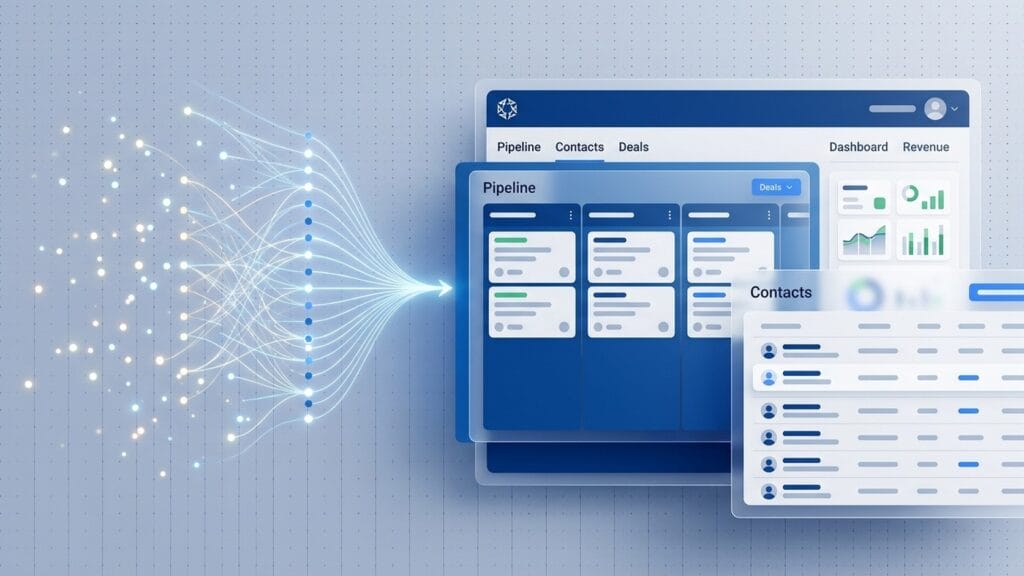
Four features do most of the day-to-day work in a CRM. Contact management stores every customer and lead in one searchable database, with their emails, calls, notes, and deal history attached. Pipeline management shows your open sales deals as visual stages, from first enquiry to closed-won, so you can see where every deal sits. Automation handles the repetitive admin: logging emails, creating follow-up tasks, and sending reminders so nothing is forgotten. Reporting turns all that activity into numbers, showing how many leads convert, which salesperson is on track, and where deals stall. Better tools add email sync, quoting, and lead scoring on top, but those four functions are the reason a CRM exists. Everything else is a refinement of keeping your customer relationships organised and moving forward.
CRM vs a Spreadsheet: What Is the Difference?
Plenty of small businesses run their sales on a spreadsheet, and for a very small team it can work. The difference is that a spreadsheet is a static list, while a CRM is a live system. A spreadsheet does not remind you to call a lead back, log an email automatically, or stop two people editing the same row at once.
The practical limits of a spreadsheet show up as a business grows. It has no memory of interactions, so a customer’s emails and call notes live in someone’s inbox, not next to their name. It has no reminders, so follow-ups depend on whoever remembers. It has no reporting, so you cannot see conversion rates or forecast revenue without building formulas by hand. And it has no access control, meaning one wrong deletion can wipe your pipeline with no audit trail. A CRM fixes each of these by design: interactions log automatically, tasks trigger reminders, dashboards report in real time, and every change is tracked. For a solo founder with ten customers, a spreadsheet is fine. For a growing team juggling dozens of open deals, the spreadsheet quietly becomes the bottleneck.
If more than one person needs to see the same customer information, or you are losing track of follow-ups, you have outgrown the spreadsheet. That is usually the moment a CRM starts paying for itself.
Do I Need a CRM?
You probably need a CRM if you have more than a handful of active leads, more than one person touching sales, or a sales cycle long enough that deals need chasing over weeks. The clearest signal is pain: follow-ups slipping, leads forgotten, or no clear view of what is in your pipeline. If that sounds familiar, a CRM is the fix.
You probably do not need one yet if you are a solo operator with a short client list, or a business where sales happen face to face with no follow-up cycle to manage. In those cases a spreadsheet or even a notebook copes fine, and a CRM adds admin without a payoff.
Most businesses hit the tipping point between five and ten staff, when deals start slipping simply because no single person can hold it all in their head. Our guide to the best CRM for small business covers the tools built for teams making that first move.
What Types of CRM Are There?
Not every CRM does the same job. Broadly, they split into two camps: focused sales CRMs built to close deals, and all-in-one platforms that combine sales with marketing, support, and wider operations. The right choice depends on whether you want one tool that does sales brilliantly, or a broader system your whole business works inside. If you work in a specific sector, our guides to the best CRM for estate agents, recruitment agencies, construction companies and charities narrow the field further.
A sales CRM is pipeline-first and deliberately lean. Pipedrive is the classic example: a visual pipeline, deal tracking, and email sync, without the weight of marketing automation you may never use. These tools suit sales teams who want to get set up in a day and start closing. Our roundup of the best sales CRM tools compares them in detail.
An all-in-one CRM goes wider. Salesforce and monday CRM add marketing, service, automation, and deep customisation, so the CRM becomes the hub your whole business runs on. That power comes with more setup and, usually, a higher per-user cost. For a very small team it can be overkill; for a growing business that wants one system rather than five, it is often the better long-term bet.
What Are Some Examples of CRM Software?
The best-known CRM examples are Salesforce, HubSpot, Pipedrive, Zoho CRM and monday CRM. Each represents a different approach: Salesforce is the enterprise all-in-one, HubSpot pairs a free CRM with a marketing platform, Pipedrive is a focused sales pipeline, Zoho is the value all-rounder, and monday CRM turns flexible work boards into a sales tool.
A few examples make the categories concrete. A ten-person sales team chasing quotes usually lands on Pipedrive because the visual pipeline mirrors how they already work. A start-up with no budget starts on HubSpot’s or Zoho’s free tier and upgrades later. A larger business standardising sales, service and marketing in one system looks at Salesforce or monday CRM. And UK small businesses that want something simple often pick Capsule, a Manchester-built CRM priced in pounds.
There are also niche examples: Close is built around outbound calling, and Creatio wraps a CRM inside a no-code automation platform. If you want to see these compared side by side, our guide to the best CRM software ranks the leading options for UK businesses.
What Does a CRM Cost?
Most CRMs charge per user, per month, with a discount for paying annually. Entry-level plans are genuinely affordable: monday CRM starts at £10 per seat per month billed annually, and Pipedrive at £14 per seat per month billed annually. Salesforce opens at £20 per user per month on its Starter Suite. Prices climb as you add automation, reporting, and AI features.
The headline per-user figure is only part of the story. Watch for minimum seat counts, whether the price you see is annual or monthly billing, and add-ons that push the real cost higher than the entry tier suggests. There are also genuinely capable free CRM tools for very small teams testing the water, though free plans usually cap users or features once you grow.
As a rough guide, budget somewhere between £10 and £30 per user per month for a capable small-business plan, and more if you need heavy automation or a large team. For a full breakdown of tiers, billing, and what each plan actually includes, see our guide to CRM software costs in the UK.
How Do I Choose the Right CRM?
Start with the problem, not the product. Write down the one thing you most need a CRM to fix, whether that is chasing follow-ups, forecasting revenue, or sharing customer history across a team. Then shortlist two or three tools that solve it well, and use their free trials with real data before committing budget or migrating everyone.
Three practical checks matter more than a long feature list. First, does it fit how your team already works, and can non-technical staff use it without training? Second, does it connect to the tools you rely on, such as your inbox, calendar, and accounting software? Third, will the price still make sense as you add users?
A CRM only pays back if people actually use it, so ease of adoption beats raw capability almost every time. Our CRM comparison hub lines up the main UK options against these criteria so you can shortlist in minutes.