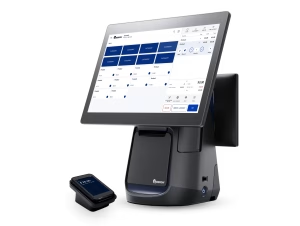
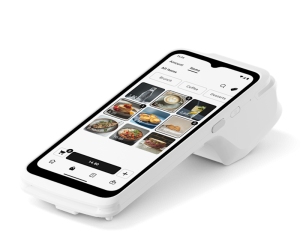
EPOS stands for Electronic Point of Sale. It’s the system that replaces a traditional cash register with software that tracks sales, manages inventory, and processes payments – all from a touchscreen terminal, tablet, or smartphone.
FREE QUOTE COMPARISON
Compare EPOS Quotes from Trusted Suppliers
✓ EPOS systems from £0 upfront
100% free • No obligation • Takes under 2 minutes
- EPOS (Electronic Point of Sale) systems have replaced cash registers as the UK business standard - they process card payments, track inventory, generate reports, and manage staff in one platform
- Free options from Square and SumUp let you start accepting card payments for under £30 upfront - no monthly fees, just per-transaction charges of 1.69-1.75%, ideal for new and micro businesses
- Paid EPOS systems such as Lightspeed (£75-189/month on annual billing) add inventory management, staff tools, and multi-location sync - necessary for businesses with 500+ products, multiple sites, or complex hospitality operations
- The right EPOS system depends on your monthly card turnover, product count, and growth plans - SumUp itself points higher-volume businesses to its £19/month Payments Plus plan, so run the sums on your own volumes
- Start with our best EPOS systems guide for top-rated picks or free EPOS systems for budget options - compare features side-by-side before committing to any contract or hardware investment
If you’ve tapped your card at a coffee shop and watched the screen update, you’ve used an EPOS system. But behind that tap, the system is doing much more: updating stock levels, recording the sale against a staff member, calculating VAT, and syncing the data to the cloud.
This guide explains what EPOS systems are, how they work, what they cost, and whether your UK business needs one.
What Does an EPOS System Do?
An EPOS system processes sales transactions, tracks inventory in real time, generates business reports, manages staff permissions, and integrates with accounting software – replacing the functions of a cash register, stockbook, and sales ledger in one device.
At its simplest, an EPOS system takes payments. But modern systems do far more:
Sales processing. Ring up items by scanning barcodes, tapping product buttons, or searching by name. Accept card payments (contactless, chip and PIN, mobile wallets), cash, or split payments. Issue receipts digitally or printed.
Inventory tracking. Every sale automatically reduces stock levels. When items run low, the system alerts you or triggers a reorder. This eliminates manual stock counts and prevents both overstocking and running out of popular items.
Reporting. Sales by hour, day, week, product, category, or staff member. Profit margins, average transaction value, and best/worst sellers. Most systems offer real-time dashboards accessible from your phone.
Staff management. Individual logins, role-based permissions (e.g. only managers can process refunds), clock-in/out tracking, and sales-per-employee reports.
Integrations. Connect to accounting software (Xero, QuickBooks, Sage), e-commerce platforms (Shopify, WooCommerce), and delivery apps (Deliveroo, Uber Eats). Data flows automatically – no manual re-entry.
How Does EPOS Work?
EPOS systems work by combining software (the app that manages sales, inventory, and reporting) with hardware (touchscreen, card reader, receipt printer) and a payment processor that routes card transactions to your bank account.
An EPOS system has three components:
1. Software. The app or program that runs on your device. This is where you set up products, process sales, and view reports. Most modern EPOS software is cloud-based – your data is stored online and accessible from any device. Examples: Square POS, SumUp POS, Epos Now.
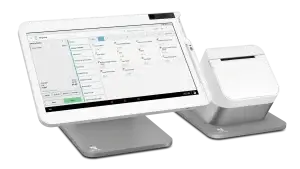
2. Hardware. The physical devices: a touchscreen terminal or tablet, card reader, receipt printer, cash drawer, and barcode scanner. Some businesses use a dedicated terminal; others run the EPOS app on a standard iPad with a Bluetooth card reader.
3. Payment processing. The service that routes card payments from the customer’s bank to yours. Some EPOS providers include their own payment processing (Square, SumUp); others require you to use a separate merchant account.
When a customer pays, the EPOS software records the sale, the payment processor moves the money, and the inventory updates – all in seconds.
EPOS vs Traditional Cash Register
A cash register records sales and stores cash. An EPOS system does both of those plus inventory management, staff tracking, reporting, card payment processing, and integration with accounting and e-commerce tools.
| Feature | Cash Register | EPOS System |
|---|---|---|
| Process sales | ✓ Manual entry | ✓ Barcode scan / tap |
| Accept card payments | ✗ Separate terminal | ✓ Integrated |
| Track inventory | ✗ Manual | ✓ Automatic |
| Sales reporting | ✗ End-of-day total only | ✓ Real-time, detailed |
| Staff management | ✗ None | ✓ Logins, permissions, tracking |
| Accounting integration | ✗ Manual entry | ✓ Automatic (Xero, QuickBooks) |
| Remote access | ✗ Must be in-store | ✓ Any device, anywhere |
| Cost | One-off purchase, no monthly fee | £0-189/month + hardware |
Cash registers still make sense for very low-volume, cash-only businesses (e.g. a village fete stall). For any business taking card payments – which is now the majority of UK transactions – an EPOS system is the practical standard. Our EPOS systems hub covers all the options available in 2026.
How Much Does an EPOS System Cost?
EPOS systems range from completely free (Square, SumUp) with transaction fees of 1.69-1.75%, to premium systems costing £75-189/month on annual billing, with hardware from £299. Most small UK businesses spend under £50/month total.
Free tier: Square and SumUp charge £0/month. You pay only transaction fees (1.69-1.75% per card payment) plus a card reader (£19-29). Total startup cost: under £30.
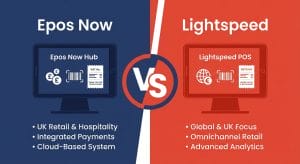
Mid-range: Epos Now‘s Countertop 2 hardware bundle starts from £299, with software quoted separately. Card processing is advertised from 0.8% with a rate match. Ask for a written first-year total.
Premium: Lightspeed starts at £75/month on annual billing for its retail plans (£89 on monthly billing), with restaurant plans priced separately. Best for businesses with complex inventory or multiple locations. First-year software cost: £900-2,268 on annual billing, before hardware, which is quote-only.
For a detailed breakdown, see our EPOS system costs guide.
Which Businesses Need EPOS?
Any UK business taking card payments benefits from EPOS. It’s essential for retail shops, restaurants, cafés, pubs, salons, and market stalls. The only businesses that don’t need EPOS are purely cash-only or online-only operations.
EPOS systems suit almost every type of customer-facing business:
- Retail shops – inventory tracking, barcode scanning, product variants. See our 7 best EPOS systems
- Restaurants and cafés – table management, kitchen orders, tabs. See EPOS for hospitality
- Pubs and bars – tab management, split bills, age verification. See EPOS for pubs
- Salons and spas – appointment booking, client records. See EPOS for spas
- Market stalls and pop-ups – portable, battery-powered readers. See mobile EPOS systems
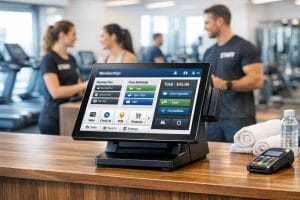
- Gyms and fitness – combined with membership software. See EPOS for gyms
The main exceptions are purely online businesses (who need a payment gateway, not an EPOS) and very small cash-only operations where the transaction fees wouldn’t be justified.
How to Choose the Right EPOS System
Choose your EPOS based on three factors: your monthly card turnover (determines whether free or paid is cheaper), your business type (retail, hospitality, or service), and your growth plans (single location vs multi-site).
Step 1: Calculate your card turnover. If you take only modest card volumes each month, a free pay-as-you-go plan (Square or SumUp) is usually the cheaper route. As volumes climb, compare the cost of transaction fees against a plan with lower rates: SumUp, for example, offers a £19/month Payments Plus plan at 0.99% per card payment against 1.69% on pay-as-you-go, and its break-even sits at a few thousand pounds a month.
Step 2: Match to your business type. Retail businesses need inventory management and barcode scanning. Hospitality businesses need table management and kitchen integration. Service businesses need appointment booking. Choose a system designed for your sector.
Step 3: Consider growth. If you plan to open additional locations, check multi-site capabilities now. Migrating between EPOS systems is painful – product catalogues, sales history, and customer data don’t transfer easily.
For side-by-side comparisons, see our EPOS comparison guide.